Overview
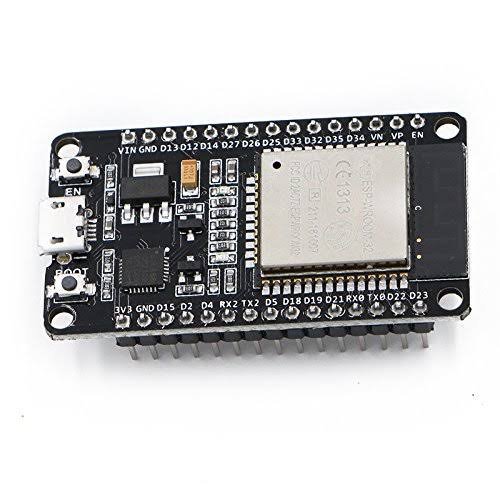
The ESP32 DevKit V1 is a versatile and powerful microcontroller developed by Espressif. It features a low-cost, low-power system on a chip series that integrates both Wi-Fi and dual-mode Bluetooth capabilities, making it ideal for IoT applications.
What's in the box
- 1 x ESP32 DevKit V1
- 1 x Micro USB cable
- 1 x Quick Start Guide
Key features
- Integrated Wi-Fi and dual-mode Bluetooth
- Low power consumption
- 32-bit dual-core processor
- Multiple GPIO pins for versatile connectivity
- Support for various development environments
How it works
The ESP32 DevKit V1 operates by utilizing its integrated Wi-Fi and Bluetooth capabilities to connect to networks and devices. It can be programmed using various platforms such as Arduino IDE, MicroPython, and ESP-IDF, allowing developers to create a wide range of applications.
Getting started
- Unbox the ESP32 DevKit V1 and ensure all components are present.
- Connect the ESP32 to your computer using the provided Micro USB cable.
- Download and install the Arduino IDE or your preferred development environment.
- Install the necessary drivers for the ESP32.
- Set up the ESP32 board in your development environment.
- Write your first program (e.g., blinking an LED) and upload it to the ESP32.
- Monitor the output using the serial monitor in your IDE.
Tips
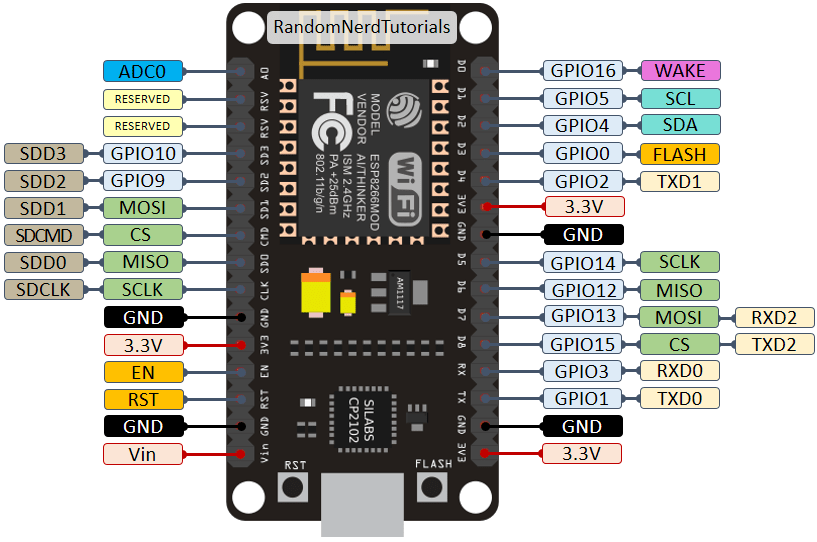
- Make sure to check the ESP32 documentation for specific pin configurations.
- Experiment with different libraries to enhance functionality.
- Use external power supplies for power-intensive applications.
Safety
When working with the ESP32 DevKit V1, ensure to follow these safety guidelines:
- Do not expose the device to moisture or extreme temperatures.
- Handle the microcontroller with care to avoid damage to the pins.
- Always disconnect power when making hardware changes.