
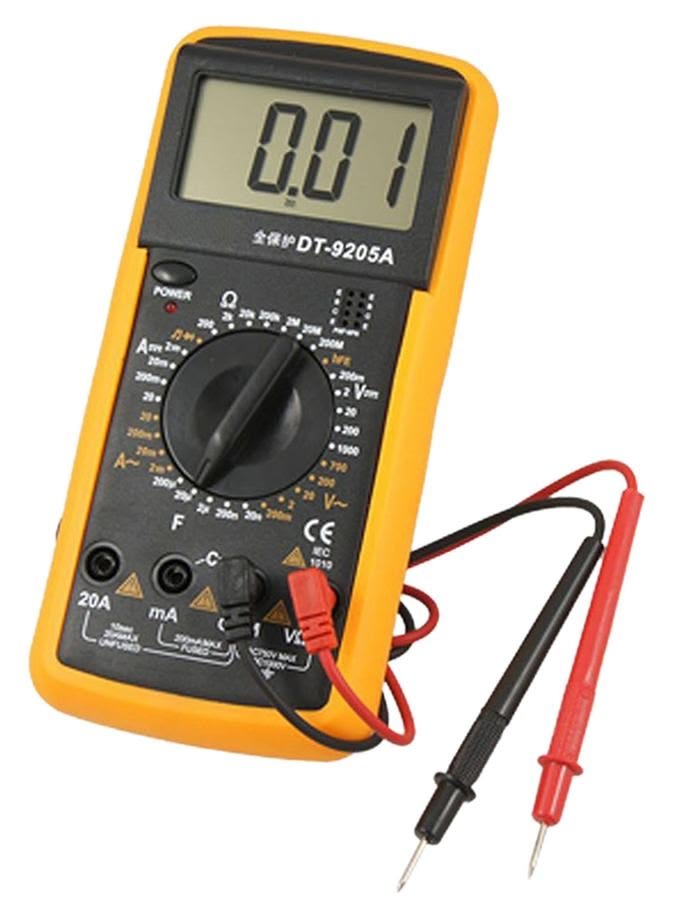
Overview
The Uni-T Digital Multimeter is a reliable tool for measuring electrical parameters with precision. Its user-friendly interface and compact design make it suitable for both beginners and experienced technicians. Whether you are working on electronics projects or performing electrical repairs, this multimeter will help you get the job done efficiently.
What's in the box
- Uni-T Digital Multimeter
- Test leads
- User manual
- Battery
Key features
- Measures AC/DC voltage, current, and resistance
- Compact and lightweight design
- Backlit display for easy reading
- Data hold function to freeze readings
- Auto power-off feature to save battery
- Durable construction for long-lasting use
How it works
The Digital Multimeter operates by using internal circuits to measure electrical properties. Simply select the desired measurement type using the rotary switch, connect the test leads to the circuit or component, and read the results on the display. The multimeter provides accurate and instantaneous readings, making it an essential tool for any electrical work.
Getting started
- Insert the battery into the multimeter as per the instructions in the user manual.
- Connect the test leads to the appropriate ports on the multimeter.
- Turn the rotary switch to select the measurement type (voltage, current, or resistance).
- Connect the test leads to the circuit or component you wish to measure.
- Read the measurement displayed on the screen.
Wiring / connections
Ensure that the test leads are securely connected to the multimeter and the circuit. Use the red lead for positive connections and the black lead for negative or ground connections.
Tips & troubleshooting
- Always start with the highest measurement setting to avoid damaging the multimeter.
- If the display shows an error, check the connections and ensure you are measuring within the device's limits.
- Regularly replace the battery to maintain accurate readings.
Safety notes
Always follow safety precautions when working with electricity. Avoid measuring live circuits unless you are trained to do so. Use appropriate personal protective equipment.